Turning Information into Knowledge
Your brain has about a hundred billion neurons. They fire electrical impulses and chemical signals to each other along synapses. Neurons that talk often build stronger bonds - more solid patterns of thought. Each new piece of information creates new connections. The more you revisit it, the longer it stays.
When you encounter something new, the hippocampus acts as a staging area. Then the Medial Prefrontal Cortex, the brain’s master categorizer, analyzes the incoming information and figures out how it fits into what you already know. To make these categories permanent, your brain moves them from the hippocampus to the neocortex. These interconnected thoughts expand our cognitive plasticity.
Our brains are optimized for categorizing. Better than any tool we have today. But I think I found a setup that comes close - a digital second brain. A personalized knowledge management system that captures, organizes, and retrieves information. An extended memory. The idea: receive information, process it, store it, retrieve it when you need it.
The Chaos Before
I had a chaotic information ecosystem. Bookmarks, Pocket, RSS feeds, Notion, OneNote, Apple Notes, Evernote, Asana, browser extensions - all trying to organize my notes, todos, reflections. I wanted an organized collection of my thoughts, ideas, and inputs. The disorder kept winning.
Then I adopted Claude Code as my daily AI assistant for coding, research, and documentation. Moving from clickable tools to a terminal-based app took some adaptation, but now I use it all the time. Then I came across a LinkedIn post from Steph, the CEO of Obsidian: “The future is plain text files. It is just not yet evenly distributed.”
Using LLMs daily, I realized I could change how I collect information. Drilling through that thought, I ended up building my second brain, CORTEX.
What Is CORTEX
CORTEX stands for Cognitive Organization & Reflection Through EXtended Intelligence. I have built it based on three components:
- Obsidian - a local-first personal note-taking and knowledge base app. It operates on a folder called a “vault.” Everything in the vault is text. Cool features: wikilinks, graph view, Canvas, and community plugins.
- Claude Code - my AI tool that sits on my local system and acts on my vault. Instead of Claude Code, you could use Claude Cowork, OpenAI Codex, or OpenCode. It adds intelligence to the knowledge base.
- Git - my choice for syncing notes cross-device and keeping version history. I regularly copy the vault to cloud storage and let git handle the versioning. One can also use the official Obsidian Sync feature.
Capture Fast, Process Later
I follow the Zettelkasten knowledge management method. It builds a web of interconnected ideas through hypertext connectivity between notes. The core principle: separate capturing from organizing. These require different mental states (creative vs. analytical).
First, capture information quick and dirty into fleeting notes. Quick reminders or thoughts, captured in the moment, discarded after processing. No pressure to categorize or format while inspiration strikes. I also use Obsidian Web Clipper to grab content from the web and save it as a temporary note.
Later, process the fleeting notes and turn them into permanent notes. During processing, you build wikilinks to other permanent notes. Wikilinks ([[]]) act like synapses, which is building connections between ideas.
Traditional note-taking creates “write-only memory”. Notes are captured but never resurfaced or connected. Zettelkasten promises atomic, linked notes but demands significant manual effort. This is where AI completes the picture. Using Claude Code, I run batch processing of my unprocessed fleeting notes. The AI routes processed notes into sub-folders: reflections, knowledge, private, work. It also maintains generic notes like tasks.md, OKRs.md, MY-PROFILE.md, MY-INTERESTS.md. All my input gets processed and placed where it belongs.
Synthesize and Reflect the Wisdom
AI assistants are powerful but lack persistent context about you, your knowledge, your workflow. CORTEX bridges this gap. Using agent skills, AI understands your vault, your interests, and your workflow patterns. It synthesizes and consolidates information, then reflects it back to you.
Skills are markdown files with instructions that Claude follows. No coding required, just prompt engineering.
My core skills:
/braindump- Route captured temporary notes to permanent homes/daily-brief- Morning intelligence briefing: tasks, tickets, news, reflections/weekly-reflection- Analyze daily reflections, create a summary, plan the next week/monthly-overview- Summarize weekly reflections, track habits, monitor OKR progress/knowledge-consolidation- Synthesize insights into frameworks, patterns, and mental tools/quiz- Active recall reinforcement through random knowledge quizzes
There are more specialized skills for fetching web resources, re-organizing notes, and other tasks. These main skills make my note-taking seamless. It is not perfect, but it does the job and keeps me learning.
A typical day:
- 8:30 AM - Arrive at the office, run
/daily-brief→ see P1 tasks, Jira updates, AI news, a quiz on RAG systems - Throughout the day - Capture meeting notes, article ideas, web clippings, random observations, to-dos
- 5:00 PM - Run
/braindump→ fleeting notes routed to permanent locations, tasks extracted, reflections generated - Sunday evening - Run
/weekly-reflection→ analyze patterns, celebrate wins, plan next week’s priorities - Monthly - Run
/monthly-overviewand/knowledge-consolidation→ summarize the month, build frameworks, identify emerging patterns
Expand the Plasticity
One of my hacks for adopting new routines: integrate it into my daily workflow and keep it simple. There is a small upfront setup, but daily usage couldn’t be easier. I write my thoughts as rough notes. Once a day I run the AI skills. That’s it.
CORTEX is more than a note-taking framework. It is a workflow layer that orchestrates existing tools to turn information into knowledge. It knows me and my interests through profile and interests notes. I can add any skill and chain multiple skills into workflows.
Most importantly: zero lock-in. If I leave Obsidian, I take my folder to the next tool. No proprietary format. If I switch AI tools, I just point the new one at my vault. No AI dependency. If I want to do everything manually, I can. No dependency on anything.
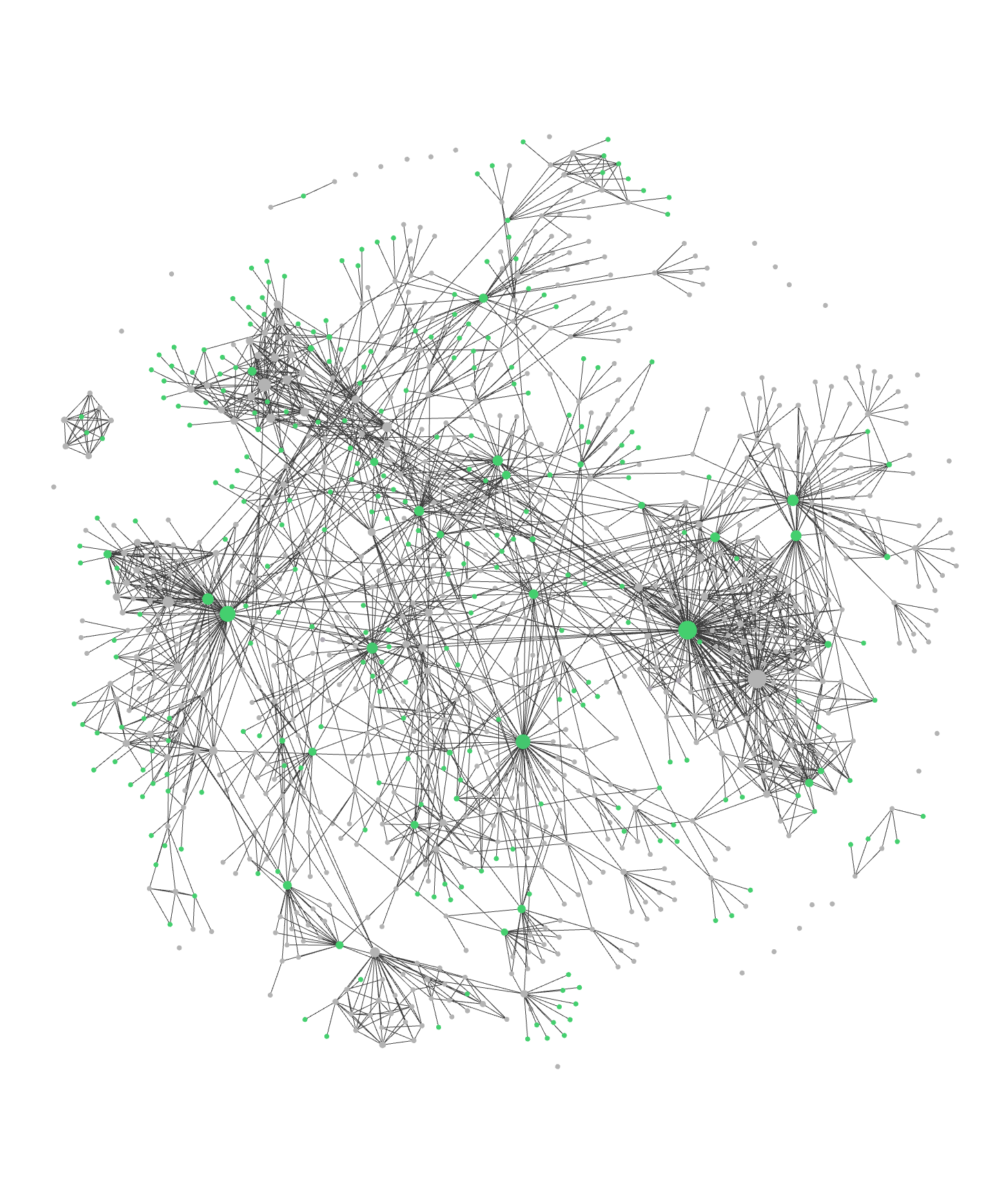
Here is the graph view of my notes, my visual web of interconnected thoughts.